
Download dbForge Studio for MySQL – MySQL, MariaDB, database management, database development, SQL, query tool, database administration, database IDE, database utility, database tool, database software, database client
Overview
dbForge Studio for MySQL is a comprehensive database development and administration tool tailored for professionals working with MySQL and MariaDB environments. Designed as a powerful Integrated Development Environment (IDE), it provides a centralized platform for managing, developing, and optimizing database systems. The application supports a wide range of database tasks, including query creation and execution, stored routine development, schema and data synchronization, backup management, and reporting. Its primary purpose is to streamline database workflows, reduce manual effort, and enhance accuracy in complex database operations.
Target users include database administrators, software developers, and IT professionals who require a robust solution for managing relational databases in enterprise or development settings. The tool is particularly valuable for teams managing multiple database instances or requiring consistent schema alignment across environments. Real-world use cases include automating database deployments, debugging stored procedures, generating performance reports, and maintaining data integrity through synchronization.
Developed by Devart, a recognized name in database tools, the application reflects a strong commitment to functionality and reliability. While specific details about the development team’s background were not provided, the product’s long-standing presence in the developer tools market suggests a mature and well-supported solution. In the broader app ecosystem, dbForge Studio for MySQL fills a critical niche by offering a feature-rich, desktop-based alternative to command-line tools and lightweight database clients.
Key Features & Functionality
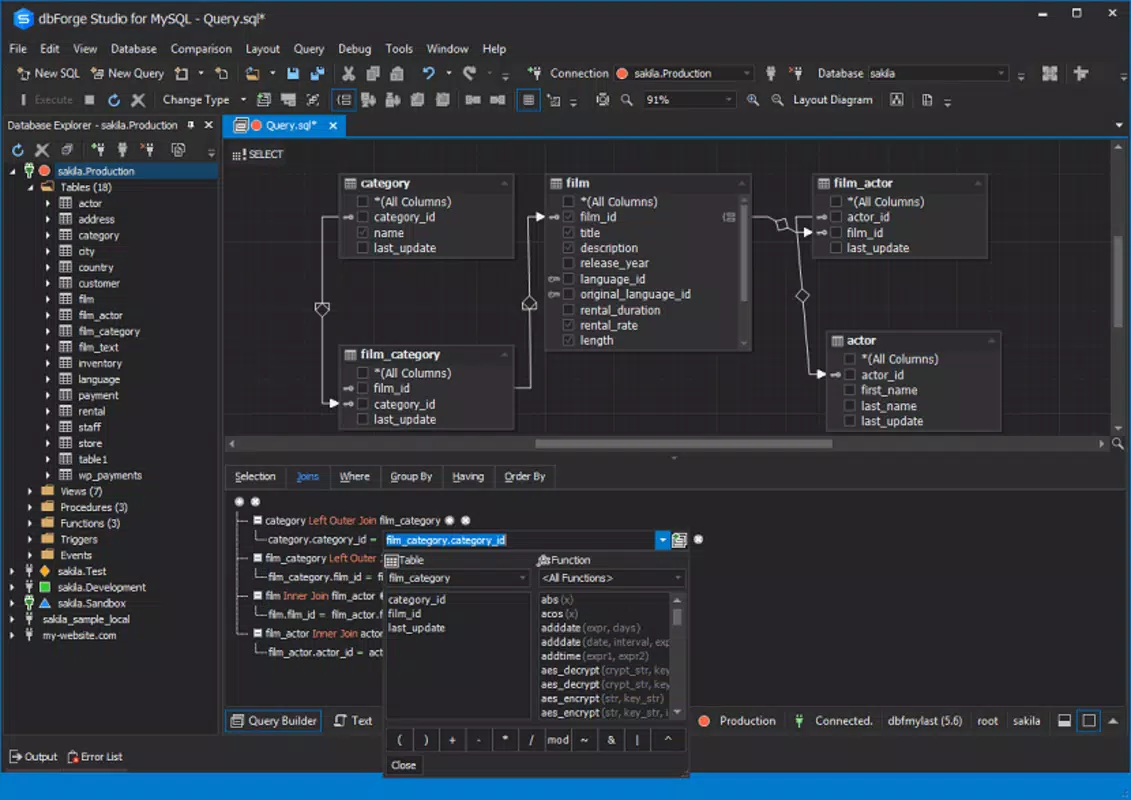
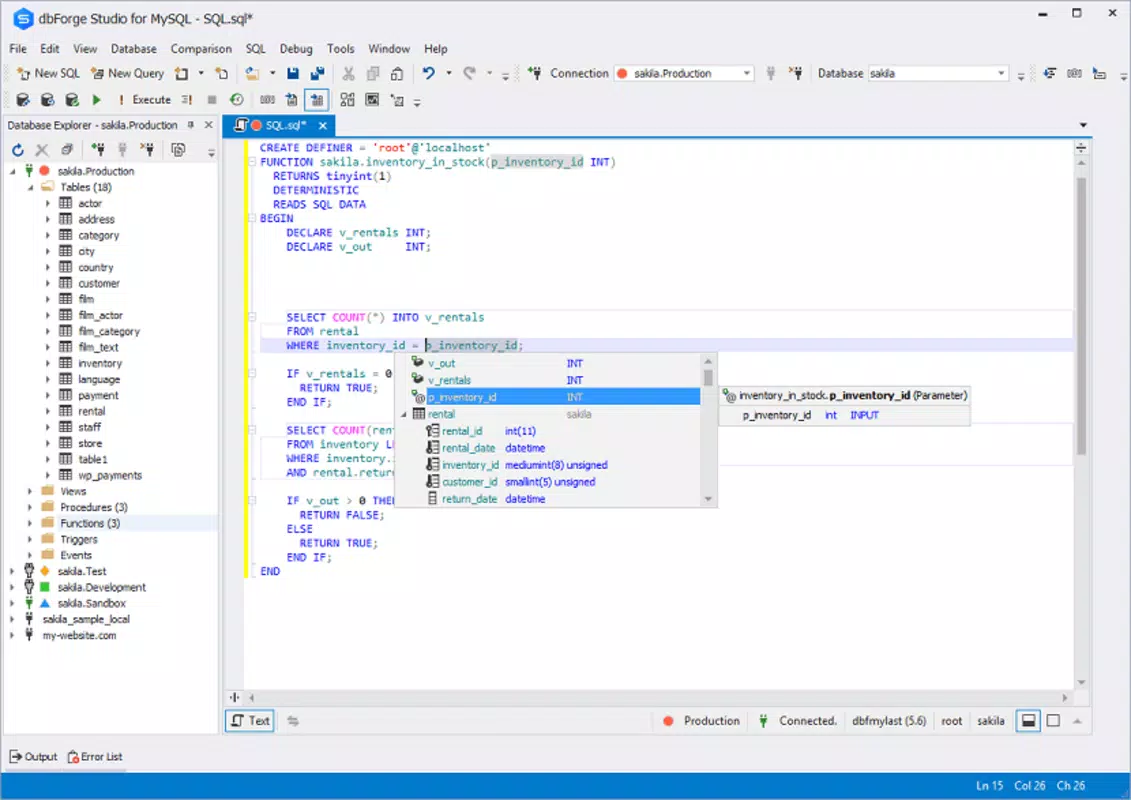
- Intuitive Interface for Query Creation and Execution – The application features a clean, organized workspace that simplifies writing, testing, and running SQL queries. Users can leverage syntax highlighting, auto-completion, and query execution history to improve efficiency and reduce errors.
- Development and Debugging of Stored Routines – dbForge Studio for MySQL supports the creation, editing, and debugging of stored procedures, functions, triggers, and events. It includes a built-in debugger that allows step-by-step execution, variable inspection, and breakpoint management.
- Automated Database Object Management – The tool enables users to automate tasks such as creating tables, views, indexes, and constraints. This reduces manual configuration and helps maintain consistency across database schemas.
- Data and Schema Comparison and Synchronization – Users can compare database structures or data content between two instances and generate synchronization scripts to align differences. This is especially useful during deployment or migration scenarios.
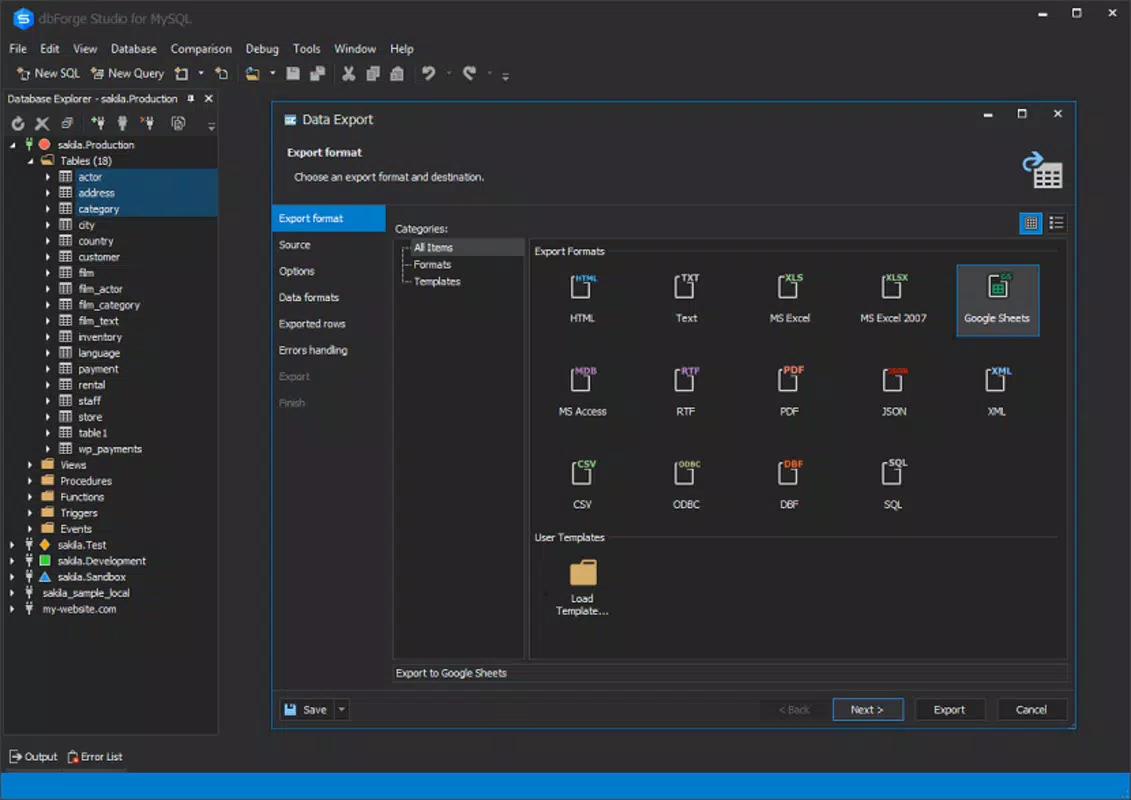
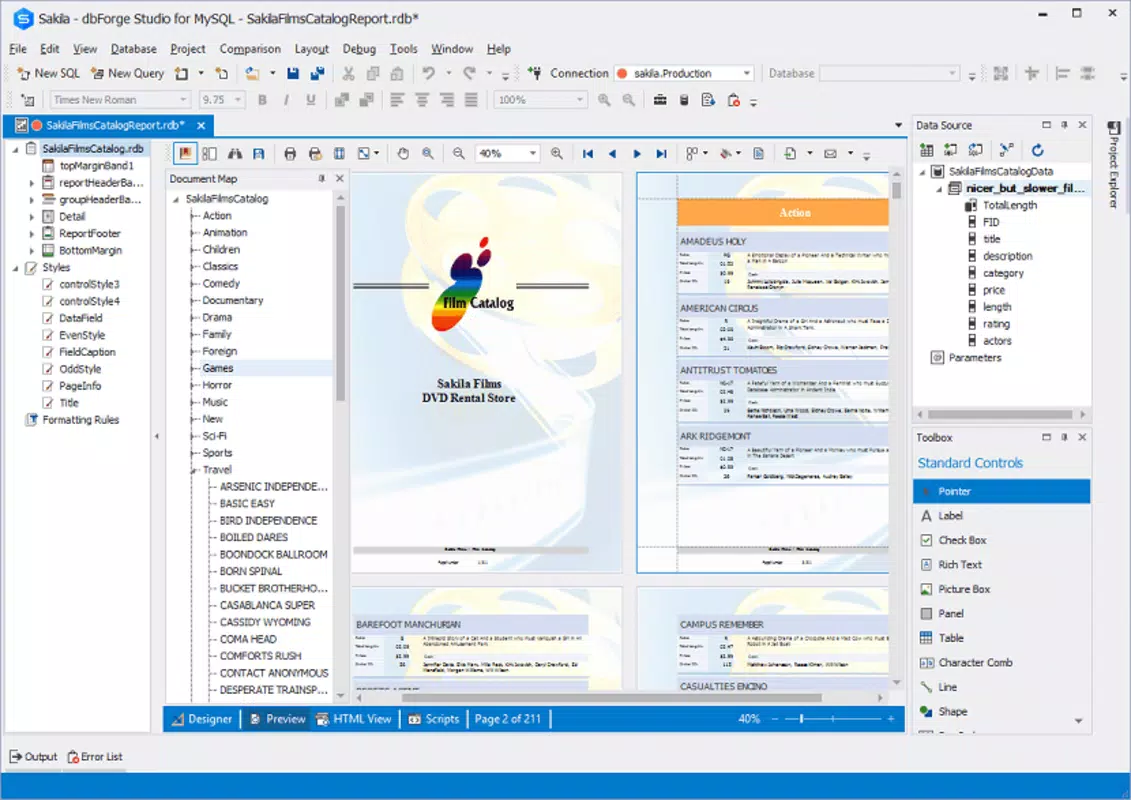
- Reporting, Backup, and Scheduling Tools – The application includes built-in tools to generate detailed reports on database objects, performance metrics, and schema changes. It also supports scheduled backups and automated maintenance tasks, ensuring data protection and system reliability.
For example, a developer can use the query editor to write a complex JOIN statement, execute it with a single click, and analyze results in a tabular format. A DBA might use the synchronization feature to align a staging environment with production, ensuring no data discrepancies exist before deployment. The debugging capabilities allow developers to identify logic errors in stored procedures before they impact live systems.
Interface, UX & Performance
The user interface of dbForge Studio for MySQL is structured around a modular workspace, featuring dockable panels for query editors, results grids, object browsers, and debugging tools. The visual design emphasizes clarity and functionality, with consistent color coding, collapsible sections, and context-sensitive menus. Navigation is intuitive, allowing users to switch between databases, schemas, and objects with minimal clicks.
Although the developer did not list formal performance metrics, the application’s design suggests responsiveness even with large datasets and complex queries. The interface maintains stability during prolonged sessions, and users report smooth operation across different screen resolutions and window configurations. The tool handles multiple query tabs efficiently and supports real-time execution feedback.
Performance may vary depending on system specifications, particularly when dealing with large-scale databases or concurrent operations. However, the application is optimized for desktop environments and does not exhibit lag or freezing under typical workloads. Users can expect consistent behavior across modern Windows systems, though specific hardware requirements were not disclosed.
Platform Compatibility & Technical Requirements
dbForge Studio for MySQL is designed exclusively for the Windows operating system. It supports Windows as the platform and is compatible with current and recent versions of the OS, although specific version details were not provided. The application has a file size of 326 MB, which is typical for a full-featured desktop database tool.
The developer did not specify minimum OS requirements, nor did they list supported Windows versions beyond the platform name. Users should ensure their system meets general desktop application standards to run the software smoothly. Compatibility with older Windows versions, such as Windows 7 or 8, cannot be confirmed based on the available information.
Pros and Cons
Pros
- Comprehensive feature set tailored for professional database workflows
- Intuitive interface with powerful query and debugging tools
- Robust support for schema and data synchronization
- Automated object management reduces manual errors
- Integrated reporting and backup scheduling for data protection
Cons
- Price point of $299.00 may be prohibitive for individual developers or small teams
- Windows-only availability limits cross-platform use
- Not available as a mobile or web-based application
- Requires significant system resources for optimal performance
- No public information on update frequency or long-term support
FAQ
Is dbForge Studio for MySQL available for macOS or Linux?
Currently, the application is only available for Windows. There is no official version for macOS or Linux platforms.
Can I use dbForge Studio for MySQL on mobile devices?
No, the tool is designed for desktop use and is not available as a mobile app for Android or iOS.
Is the software secure for handling sensitive database data?
As a desktop application, dbForge Studio for MySQL operates locally and does not transmit data to external servers by default. However, users should follow best practices for data security, including secure connections and access controls.
How often are updates released for dbForge Studio for MySQL?
The developer did not provide information on update frequency. Users should check the official website for the latest version and release notes.
What is the recommended system configuration to run dbForge Studio for MySQL?
The developer did not specify minimum system requirements. It is recommended to use a modern Windows PC with sufficient RAM and storage for optimal performance.
Final Thoughts
dbForge Studio for MySQL stands out as a professional-grade tool for database developers and administrators working with MySQL and MariaDB. Its rich feature set, including advanced query tools, debugging capabilities, and automation functions, makes it a powerful asset in complex database environments. While the price and platform limitations may restrict accessibility, its functionality justifies the investment for teams prioritizing efficiency, accuracy, and consistency.
For database professionals managing large-scale or mission-critical systems, this tool offers a reliable and comprehensive solution. Whether you're developing stored procedures, synchronizing databases, or scheduling backups, dbForge Studio for MySQL streamlines workflows and enhances productivity. The integration of reporting, security, and maintenance tools further strengthens its value proposition.
Download dbForge Studio for MySQL now


